
Native and light
A small desktop app on Tauri and Rust instead of a bundled Chromium. Design targets: under 10 MB installer, under 800 ms cold start, under 80 MB idle memory.
Target, not measured yet Somnia
Try the prototype
Somnia
Try the prototype
Concept in development. Phase 0 prototype is live.
Somnia is a web design studio that renders in a real browser, writes clean HTML and CSS you own, and has an AI that sees your canvas. We are building it in the open, one honest step at a time.
Runs in Chrome, Edge, Firefox and Safari. No install, no account. The native desktop app does not exist yet.
Why Somnia
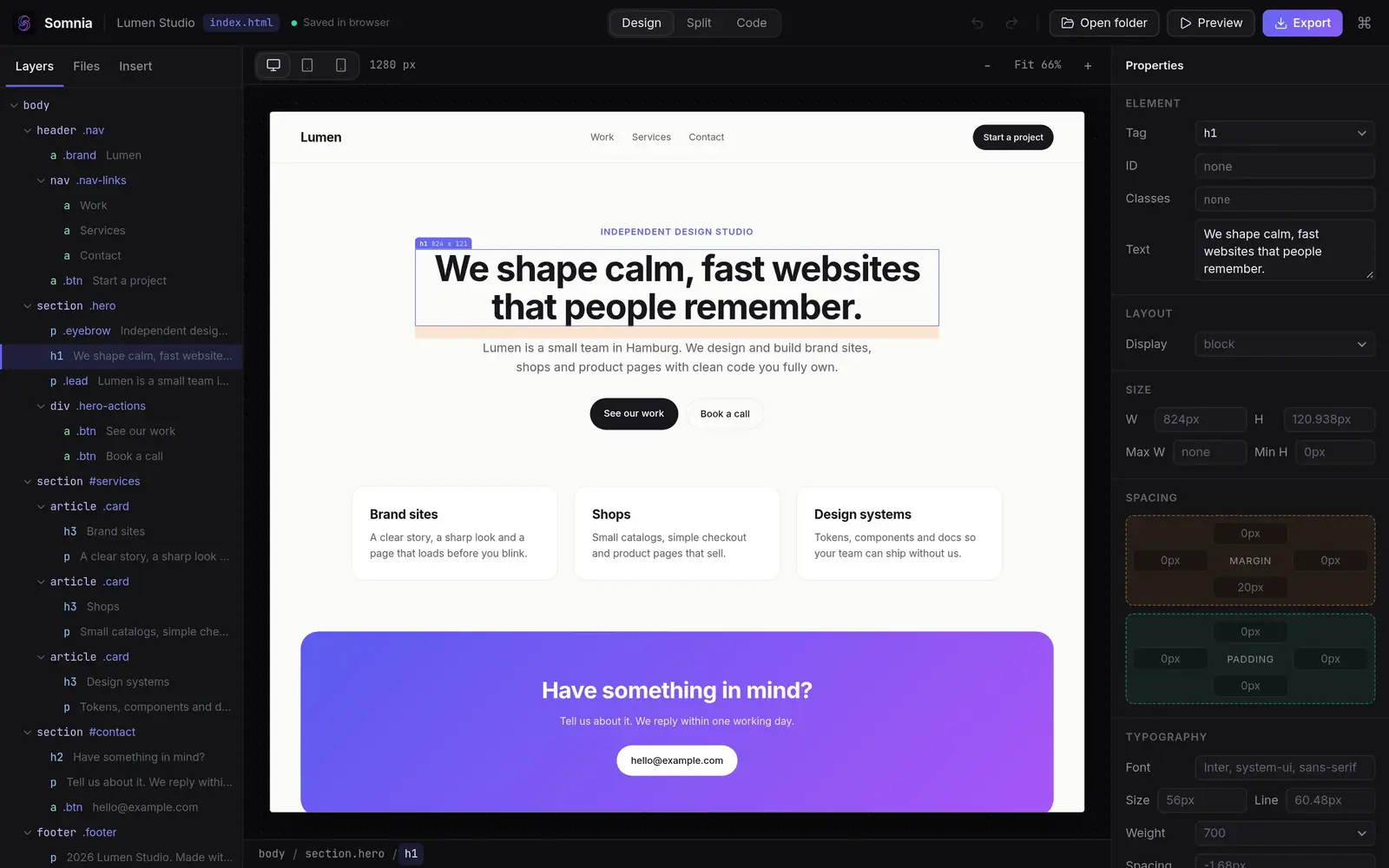
There is a gap for a fast, beautiful visual editor that treats HTML and CSS as the real product. That is the whole idea.
A small desktop app on Tauri and Rust instead of a bundled Chromium. Design targets: under 10 MB installer, under 800 ms cold start, under 80 MB idle memory.
Target, not measured yetThe preview is a real browser rendering your real code. If it looks right in the editor, it looks right when you ship it. No fake design view.
Working in the prototypePlain HTML, CSS and JS on your disk. Export or deploy anywhere. No project format, no lock-in, no ransom for your own work.
Working in the prototypeWhat it does
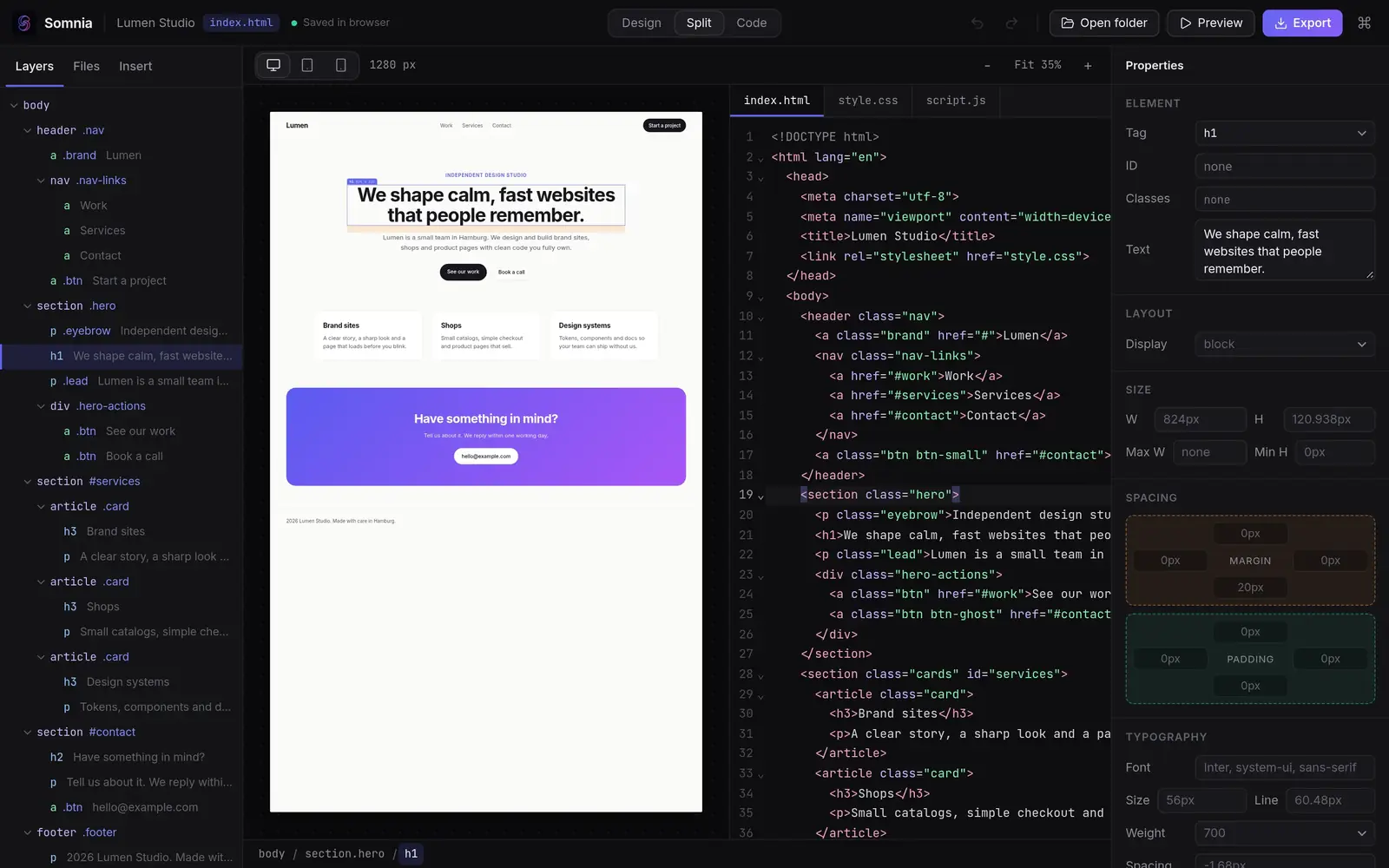
Split view puts code on one side and the canvas on the other. Type in the code and the canvas updates. Drag, drop and style on the canvas and the file updates. One shared undo history covers both.
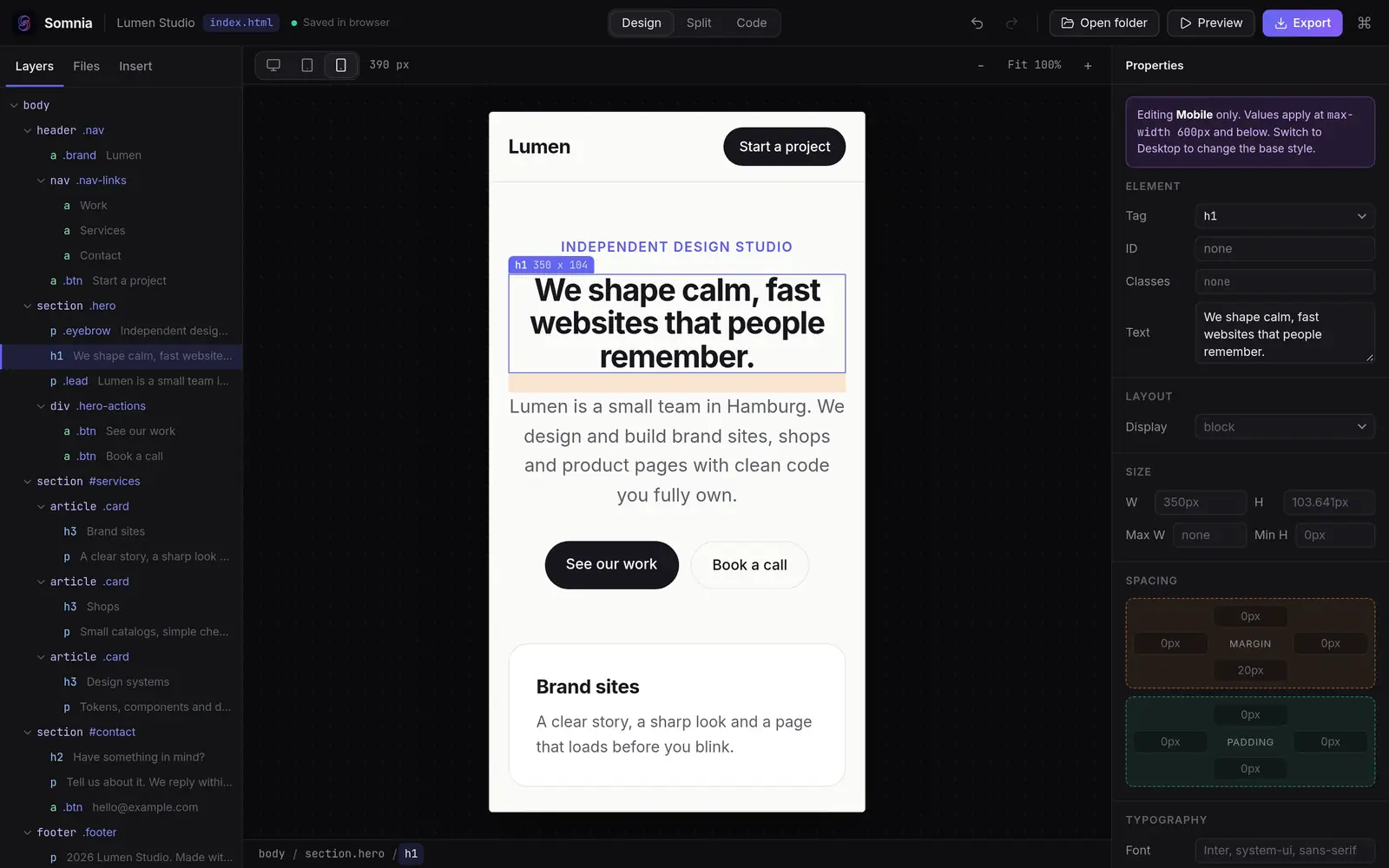
Switch to tablet or mobile and every change you make is written as a real media query. The desktop style stays untouched, and undo removes it again.
Oneiroi, the AI layer, will not only read code. It will see hierarchy, spacing and color. Select an element and ask for a change, then review every edit as a diff before it lands. Bring your own key or run local models.

Vanilla HTML first, then Tailwind and Bootstrap with real component libraries, then React and Vue. The output stays idiomatic code you would be happy to commit.

Performance budget
These are targets from our performance budget. We will publish measurements when there is a native build to measure.
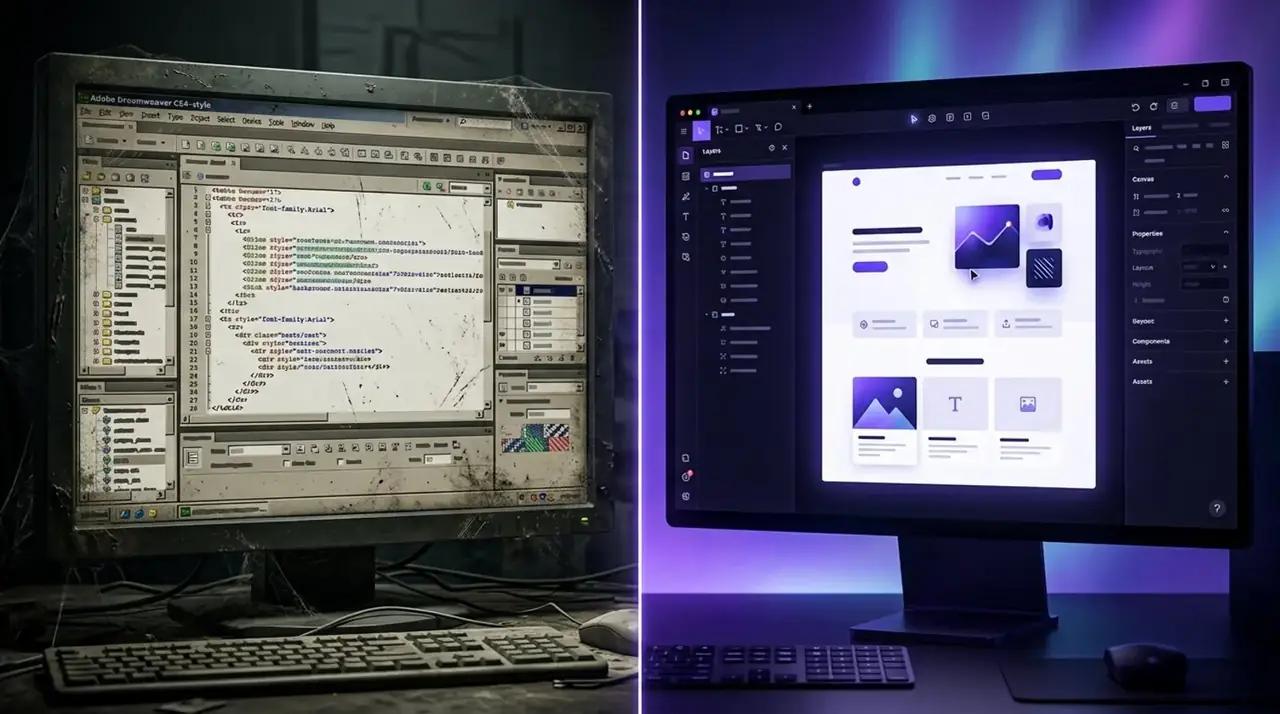
You built hundreds of sites there and it worked. Then it stopped evolving. The plan is to open your existing projects, turn templates into modern components, and keep the split view you know, only faster.
Today you can already open a folder of plain HTML files from disk in a Chromium browser and edit it in the prototype.
Honest status
Roadmap
Open a folder, edit in code view, see it on the canvas, save. The browser prototype covers this and more.
Build a simple page visually. Closed alpha.
Bootstrap and Tailwind, a competent code editor. Public beta.
AI layer, accessibility audit, deploy panel, extensions.
Signing, installers, docs, release candidate, v1.0.
FAQ
Somnia is a visual web design studio that is currently in development. It renders your page on a real browser canvas, writes clean HTML and CSS that you own, and is planned to include an AI layer that sees your design. A browser prototype (Phase 0) is available today.
That is the goal. Somnia targets people who liked the split code and design view of Dreamweaver and want a fast, modern tool that keeps plain HTML and CSS as the real product. It is not a finished replacement yet: the native desktop app does not exist and only the browser prototype is available.
Not yet. There is no installer, no price and no license key. You can open the Phase 0 prototype in a Chromium, Firefox or Safari browser without an account. Opening and saving local folders works in Chromium browsers.
No. The design principle is plain HTML, CSS and JS files on your disk that you can export or deploy anywhere.
Phase 1 is a core visual editor for building a simple page, as a closed alpha. After that come Tailwind and Bootstrap support, an AI layer with diff review, an accessibility audit, a deploy panel, and finally native installers.
Per aspera ad astra
Try what exists. It is rough in places, and it already works.
Open the Phase 0 prototype